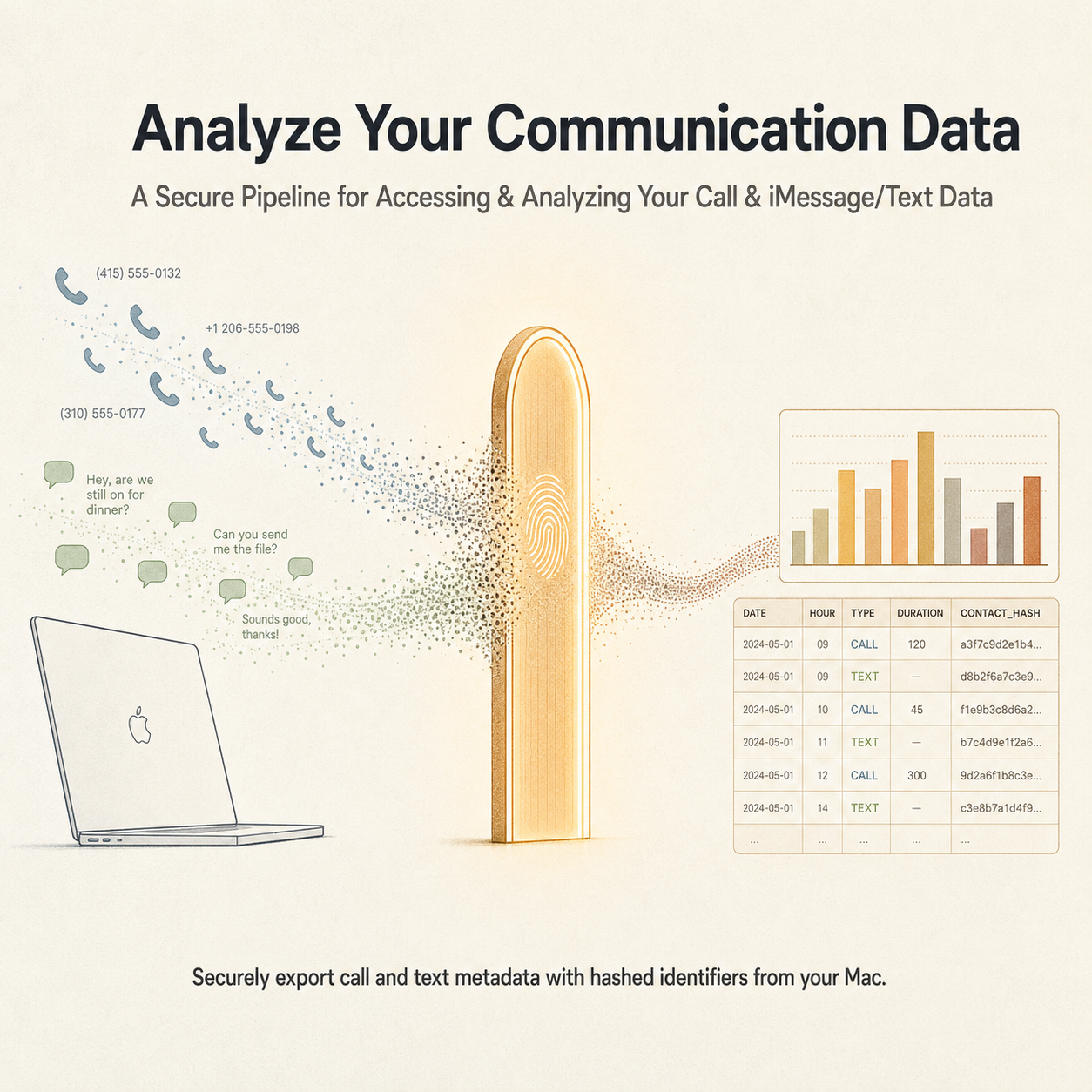
What reverse-engineering my own phone data taught me about verifying assumptions and designing de-identification that actually holds up.
Beiwe, the research platform I run at work, used to be able to collect exactly this kind of information directly from a participant's phone. Then Apple changed what third-party iOS apps are allowed to see, and that capability quietly disappeared. I'd been sitting with that gap for a while, wondering whether there was still a way to get at equivalent data through some other route, so I decided to find out on my own device first, purely out of personal curiosity, before I'd thought at all about whether it could ever go anywhere near work.
Passive call and text metadata turns out to be a genuinely rich signal. Who you're in contact with, how often, and when, is one of the clearest available proxies for social connectedness, and it's exactly the kind of behavioral signal digital phenotyping research is built around. I already track my own sleep, heart rate variability, and glucose as personal data streams, and this felt like the missing piece: a way to quantify my own sociability with the same rigor, hashed and de-identified from the start so the resulting picture never depends on anyone, including me, being able to see a real phone number or a real message.
What started as a weekend curiosity turned into a real lesson in two things I now take much more seriously: verifying an assumption before trusting it, and designing privacy protection around what an attacker could actually do, not just what looks secure on the surface.
What I Built
A Python pipeline that reads two local macOS databases, Apple's CallHistoryDB and the Messages app's chat.db, and turns them into a daily communication summary shaped like the kind a behavioral research study would produce: calls and texts sent and received per day, broken out by type. Alongside the plain export sits a second, de-identified version of the same pipeline that hashes every contact identifier with a salted key-derivation function and strips all raw message text before anything touches disk. A PDF data dictionary documents every column and the reasoning behind each derived field, and an interactive dashboard, built as a self-contained HTML artifact, visualizes the hashed data with five charts and hover detail on every value.
Both scripts are on GitHub: github.com/hydawo/communication-log-export-mac.
How It Works
Call history lives in a SQLite database at ~/Library/Application Support/CallHistoryDB, and text history lives in a separate one at ~/Library/Messages/chat.db. Both are opened read-only, so the pipeline can never accidentally modify a live system database. The real barrier to reading either one turned out to be macOS's Full Disk Access permission, not any kind of encryption. I'd assumed Keychain-level protection would be the blocker going in, and it wasn't.
Apple stores call timestamps as Core Data epoch values, seconds since January 1, 2001, rather than the Unix epoch, so every timestamp needs a fixed offset of 978,307,200 seconds added before it means anything. The call type codes aren't documented anywhere useful, so I verified them empirically with a GROUP BY query against my own real call history rather than trusting a guess: 1, 8, and 16 map to Phone, FaceTime Video, and FaceTime Audio. Outgoing, incoming, and missed calls come from combining two boolean columns, whether the call originated locally and whether it was answered.
Messages turned out to be a different animal entirely. Its timestamp column runs on nanosecond precision instead of seconds, which I only caught by inspecting real row values and noticing the numbers were nine orders of magnitude too large. More interesting: 99.2 percent of the plain text column in chat.db was null. Modern Messages doesn't store rich or edited or reacted messages as plain text anymore, it archives them in a binary format called attributedBody, Apple's streamtyped object archive. I installed a small library built for decoding that format, confirmed empirically that the actual message body reliably shows up as the first raw byte string inside the archive, and wired that extraction in. That recovered all but about 0.8 percent of message text that had gone missing.
Building the daily summary meant matching a specific target schema, which meant a few real decisions rather than obvious defaults. Whether a text counted as SMS or MMS came from whether it had an attachment, not from the service label, and iMessage volume gets folded into the same SMS and MMS counts rather than tracked separately, a deliberate choice to match the target schema exactly instead of inventing new fields that would diverge from it.
The Real Skill: Verify, Then Design for the Actual Threat
None of the interesting problems in this project were solved by assuming anything. The call type codes, the timestamp scale, the location of the actual message text, all of it came from looking at real rows of my own data and checking what was actually there before writing code against it. That habit, treating an undocumented data format the same way you'd treat an unfamiliar dataset in a research study, verify before you trust, turned out to matter more than any single line of code.
It mattered even more for the de-identification. My first pass hashed each contact identifier with a single salted SHA-256 call, which felt secure enough until I actually thought through what an attacker with the salt would do with it. Phone numbers are a small, enumerable space, maybe a few billion possibilities at most, and a fast hash function can check billions of guesses a second. Salting stops a precomputed rainbow table, but it does nothing to slow down a live brute-force attempt against a keyspace that small. I switched to PBKDF2 with HMAC-SHA256 and 600,000 iterations, which is deliberately slow, and confirmed afterward that the hashed daily summary was byte-for-byte identical to the unhashed version in every column except the identifiers themselves, so the analytical value survived the change completely intact while the actual privacy protection got real.
That's the distinction I walked away from this project actually understanding: security that looks right and security that holds up against the specific attack your data is exposed to are not the same thing, and figuring out which one you have requires actually reasoning through the attacker's side of it, not just picking the option that sounds more secure.
A Few Things I'm Considering Next
None of this has made its way into an actual work conversation yet. It's still entirely a personal project, built and tested only on my own data and my own machine. But building it did leave me thinking about whether a version of it could ever become a real workaround for the gap Beiwe now has, and a few things I'd need to work through if I ever took that seriously: packaging the extraction as a guided, double-click app instead of a script anyone would need to run from a terminal, figuring out a secure and trustworthy way to distribute and sign that kind of app, working out how an export would actually leave a participant's machine and reach a study safely, and getting the in-app language and consent flow reviewed properly before anyone outside my own laptop ever ran it. None of that is decided, or even proposed anywhere yet.
For now, it's just another personal dataset alongside my sleep and glucose numbers, one more piece of the picture, hashed carefully enough that even I can't cheat and peek at a real name behind it.